For this challenge Egidio is asking us find some photos that we have rejected because for whatever reason we have not previously published them. Maybe the lighting is wrong, they are out of focus, they are too busy or they just don’t look right.
Egidio gave us some great examples and ideas on how to improve a photo that didn’t turn out the way we hoped. I chose a few photos to work with and had fun using some of his suggestions to edit them to create a better image.
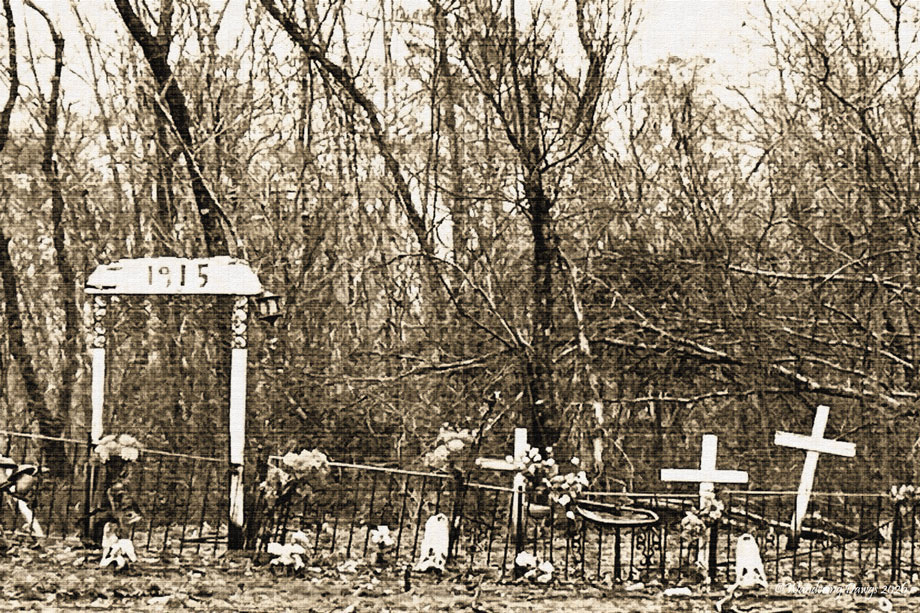
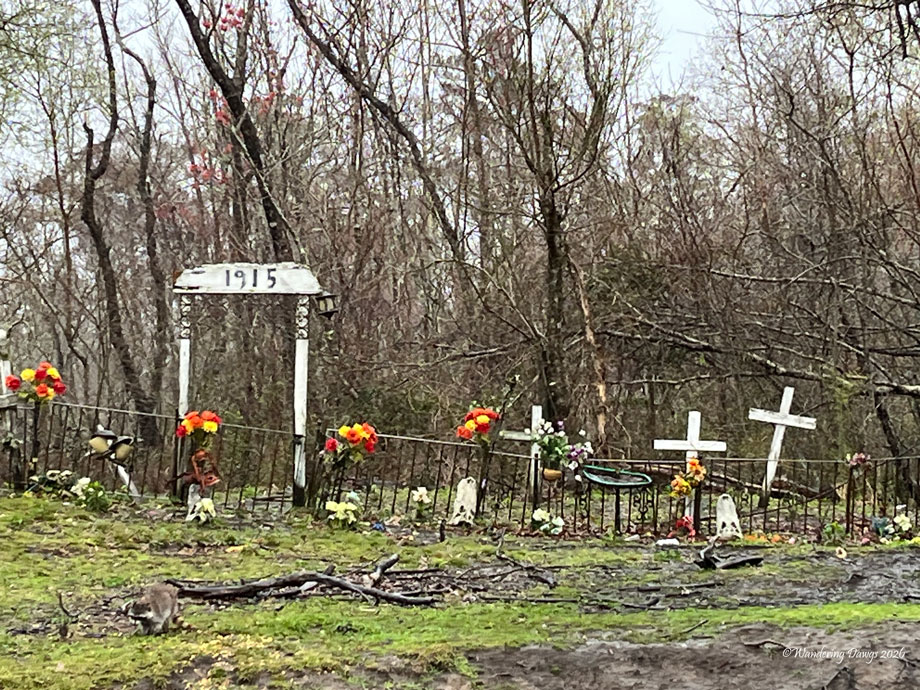
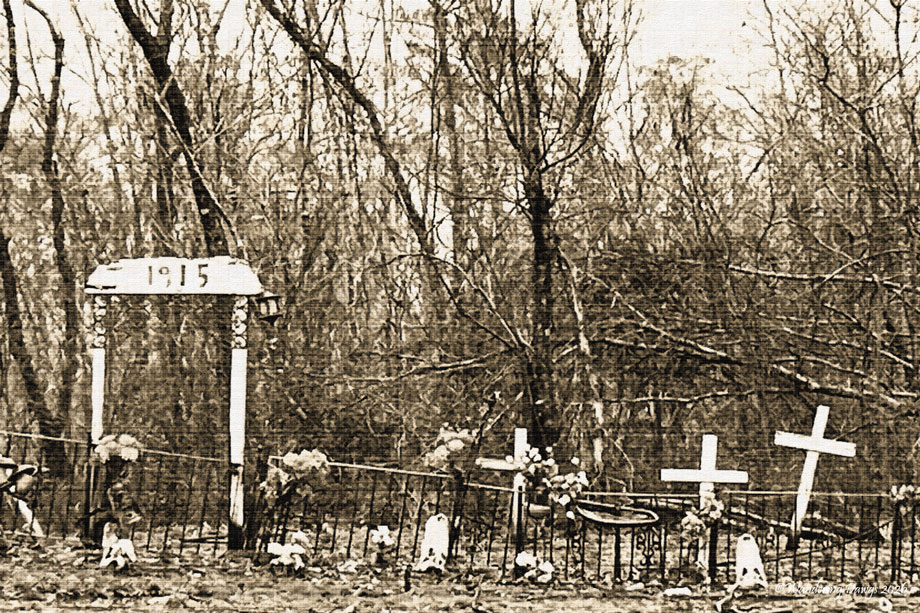
A year ago we took a boat tour through the swamp in a Louisiana Bayou. The conditions were terrible for photographs. It was winter and pouring down rain. I used my cell phone because I didn’t want to have my camera get soaked. As our guide was telling us stories about witches and ghosts in the swamp we passed by an old cemetery. In the photos below the first photo is the original unedited version I took as we went by the cemetery. It is out of focus and doesn’t have the creepy feeling I wanted. I started the editing process by cropping the photo. I then added an old paper filter and added texture to get the effect I wanted.
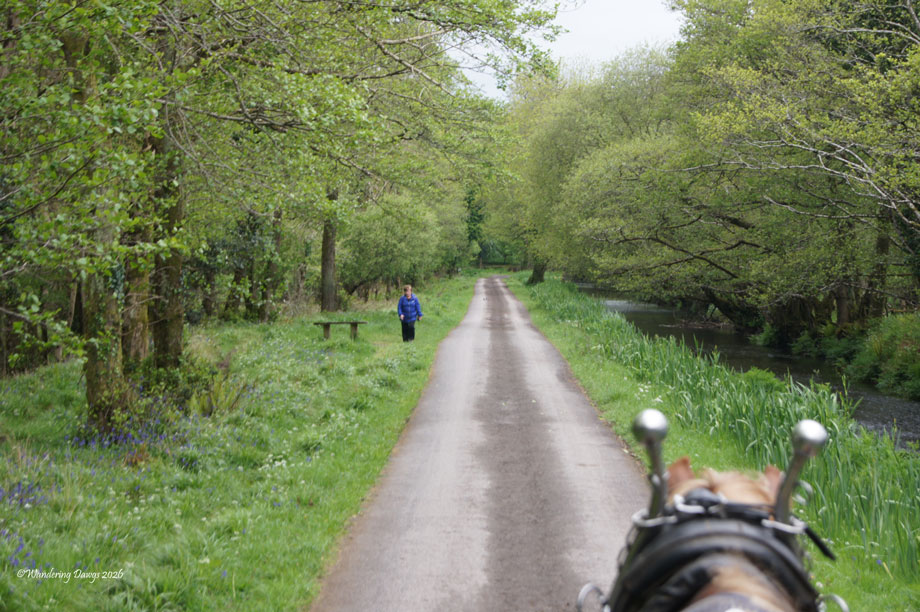
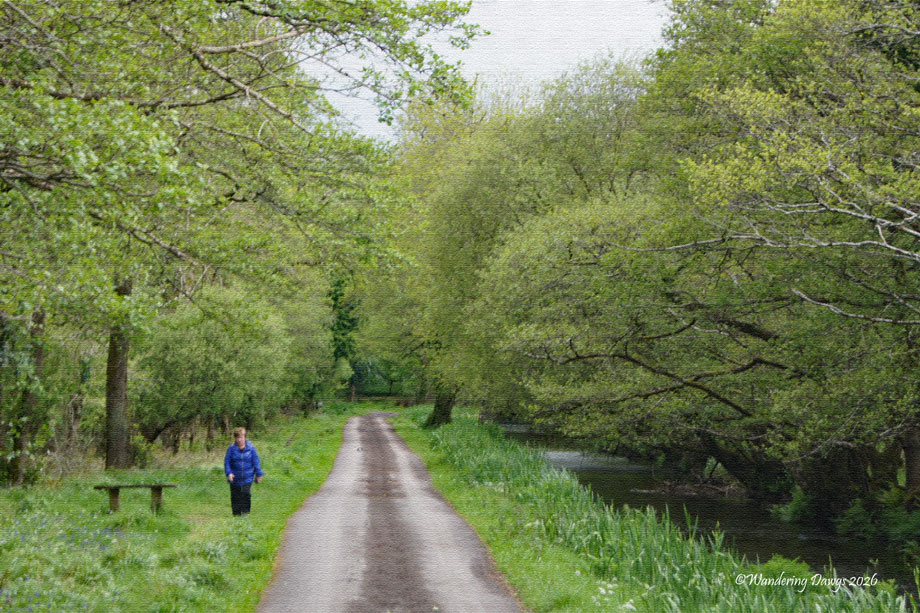
In the next pair the unedited version in the first photo was taken a few years ago on a jaunting tour through Killarney National Park in Ireland. I wanted the person in the blue shirt to stand out more so I cropped out the horse’s head and added some texture to the finished photo.
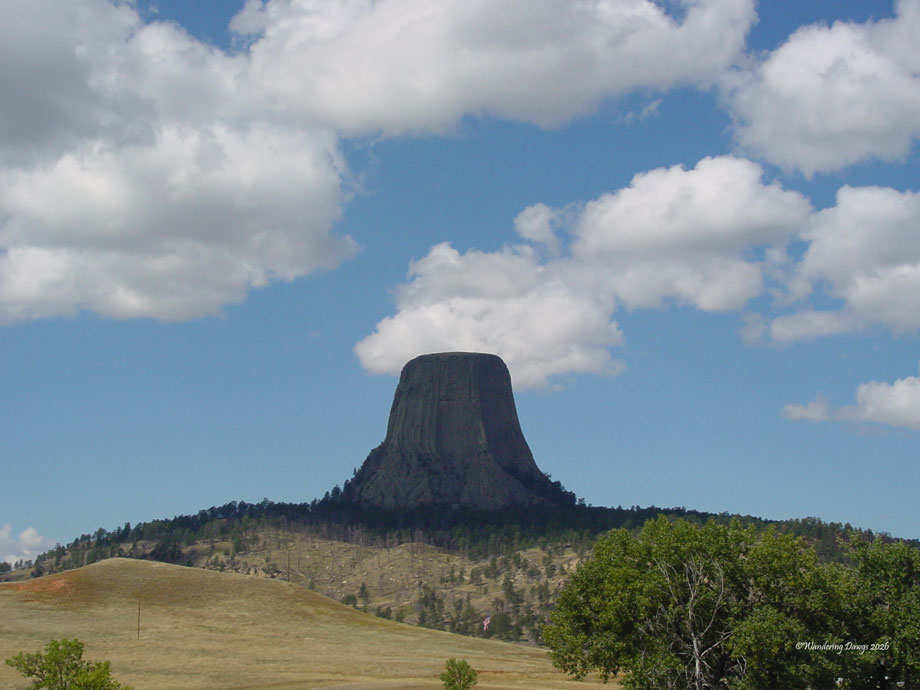
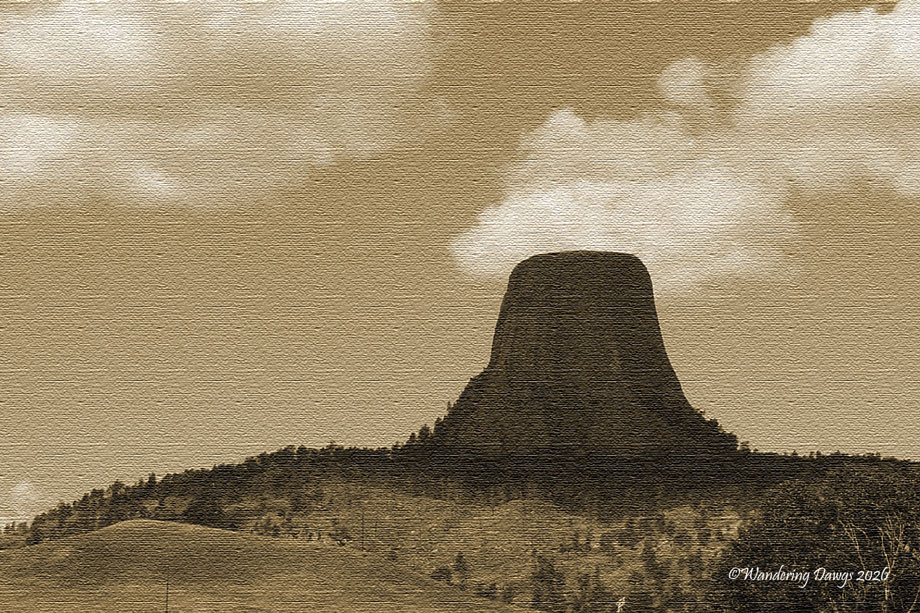
I took the original photo of the Devil’s Tower in Wyoming as we were driving towards the park entrance. I thought the original was kind of boring so I converted it to sepia tones and added texture to give the feeling of an old photograph.
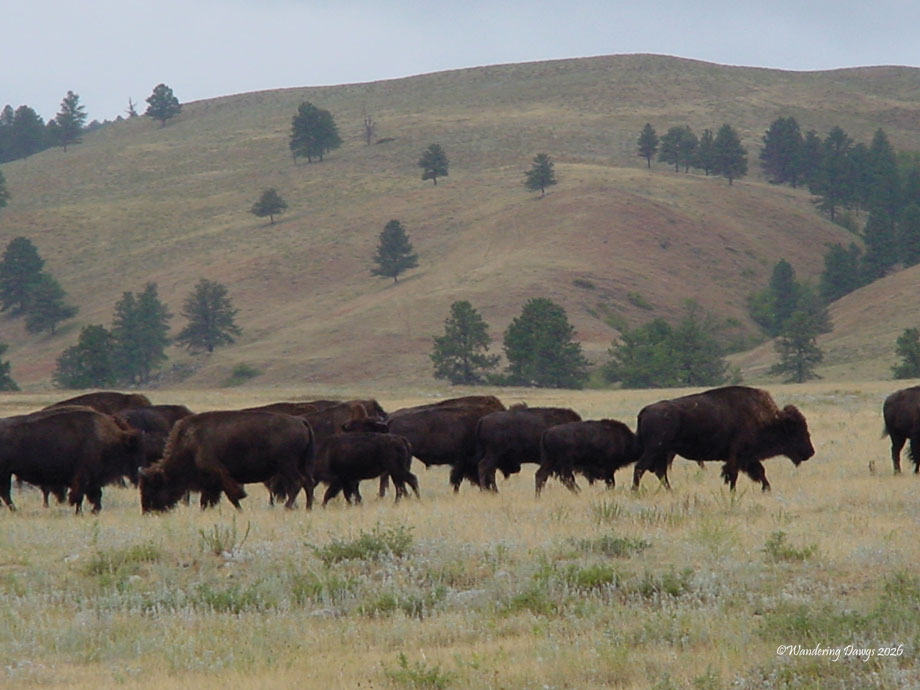
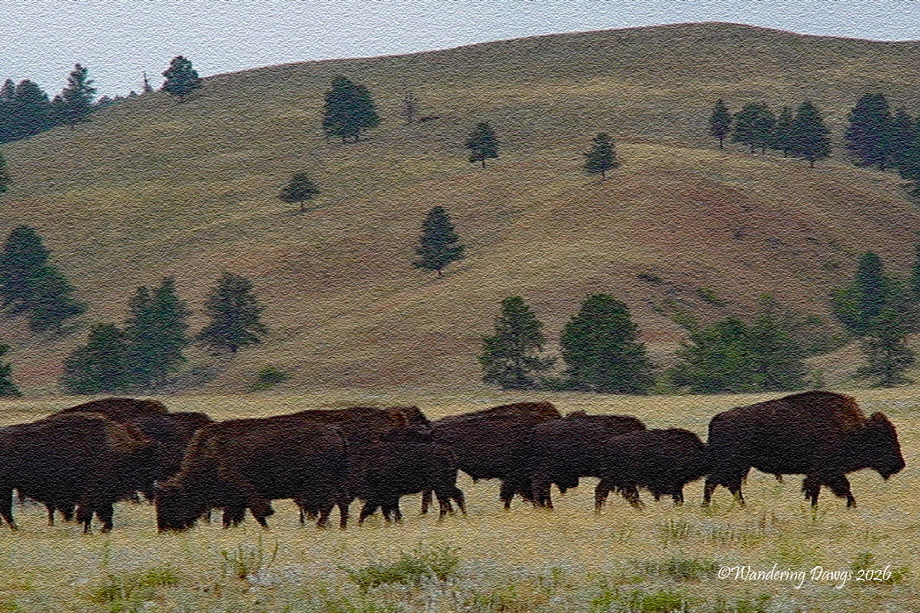
My final edit is of a herd of bison in Custer State Park, South Dakota. The unedited original on the top is ok, but not great. For my edited version I started out by cropping for a closer image. Next I adjusted the color a little and added a texture to give the effect of a painting.
Thank you to everyone who participated in Ritva’s Minimalism in Black and White last week. I really enjoyed seeing all of your great responses.
Many thanks to Egidio for his challenge Lens-Artists #382: Rejected. I hope you will join us for the challenge. Be sure to tag your post with Lens-Artists and link back to Egidio’s post.
Be sure to check back on Saturday, January 24 at noon eastern time when Egidio will be hosting our next challenge.
You can learn more about how to join the Lens-Artists challenges here.
Every Day is a Gift

 Wandering Dawgs
Nicely done! All the images came out great.
LikeLiked by 1 person
Thank you so much. I enjoy working with the different editing options. I’m glad you like the final images.
LikeLiked by 1 person
Interesting challenge. I didn’t know that you could change the texture of a photo. My favorite et was the buffalo. Nicely done.
LikeLiked by 1 person
Thanks Karen. I’m glad you liked the buffalo image. I use Photoshop Elements and there are option to add texture to a photo. It’s pretty fun to play with it and see what it does. It doesn’t always work but I liked the way it turned out with the buffalo.
LikeLiked by 1 person
Thanks, I really liked how it came out.
LikeLiked by 1 person
Great edits, achieving your vision.
LikeLiked by 1 person
Thanks Anne! I had fun playing with the editing. The hard part was choosing a few photos to work with. I have plenty of rejects!
LikeLiked by 1 person
Wonderful edits that made these pics pop, Beth!
LikeLiked by 1 person
Thanks Terri! I had a lot of fun editing these photos. I’m glad you liked the way they turned out.
LikeLiked by 1 person
Well done Beth! I especially liked what you did with the Devil’s Tower.
LikeLiked by 1 person
Thanks Tina! I’m glad you liked the Devil’s Tower. I wanted it to look like the old west.
LikeLike
Beth, you did wonderfully with the edits you created. The canvas look in the closing shot is great. The tighter crops and effects in the other photos worked very well by creating an engaging photo. However, I tip my hat to your outstanding opener. You brought that cemetery to life (pun intended) in your edit. What a difference!
LikeLiked by 2 people
Thanks Egidio! Thanks for this fun challenge. I found myself having way too much fun editing these photos! The cemetery was the most fun to work with. I am happy with the finished image. I’m glad you like it, too.
LikeLike
As you are showing, Beth, a poor photo can be saved and enhanced. Normally, I take enough so that I can pick and choose, but even a good photo can be improved. And then there are those times that a poor photo is all you have and it is important to whatever message you are trying to get across. That’s when the real doctoring takes place! My fav here was the buffalo.
LikeLiked by 1 person
Thanks Curt. I’m like you. I usually take a lot of photos so I can choose the best ones. There have been many times when I couldn’t control the time of day to be where I wanted to be so the light would be wrong or there were too many people around to find a good spot to take the photo. I have fun with the editing. I’m glad you liked the buffalo.
LikeLike
I enjoy the editing as well. And it’s rare that I have a photo that can’t use a little help, especially cropping. I always try to avoid any changes that make the photo look unnatural. I normally do my editing when we are watching a movie or TV series at night.
LikeLiked by 1 person
Thanks Curt. Good for you to be able to multitask at night by editing and watching TV.
LikeLike
I could never write and watch movies or TV series. Zero chance for that, but working on photos uses a different part of the brain!
LikeLiked by 1 person
Beth, these are great examples of editing to bring out the best in a photo. My favorite is the edit of the sepia Devils Tower!
LikeLiked by 1 person
Thanks John! I learned a few new editing techniques and had fun with editing these photos. I’m glad you like the sepia Devil’s Tower.
LikeLiked by 1 person
Nice edits…really like what you did with the first one 🙂
LikeLiked by 1 person
Thank you so much! The cemetery was my favorite one to work with. I’m glad you like the way it turned out.
LikeLike
I love the edits! The graveyard turned out particularly well. Spooky!
LikeLiked by 1 person
Thanks Andrea! Spooky was what I was going for with the cemetery.
LikeLike
Great edits – love the bison!!
LikeLiked by 1 person
Thanks Nora! Glad you liked the bison!
LikeLiked by 1 person
These are beautiful revisions, Beth. I will do my best with this challenge! Cheers to you, Lindy
LikeLiked by 1 person
Thanks Lindy! I’m glad you liked my finished edits. I’m sure you’ll do great with the challenge!
LikeLike
You have completely changed the rejects Beth, given them a new look, they are great.
LikeLiked by 1 person
Leanne, thank you so much! I’m so glad you like the results of my edits.
LikeLike
These are lovely edits Beth, going to the more artistic way is a great way to use photos that are not sharp.
LikeLiked by 1 person
Thank you Ritva! I enjoyed experimenting with the different edits. I’m glad you like the finished images.
LikeLike
I really liked what you did with the Louisiana bayou.
LikeLiked by 1 person
Thanks Joe and Julie! The cemetery was really spooky in person so that was the look I was going for. I’m glad you like the results of the edits.
LikeLike
That texture works well with the buffaloes. I should try out that tool
LikeLiked by 1 person
Thank you so much! I tried several different edits before I got the texture that worked with the buffaloes. I’m glad you like the way it turned out.
LikeLiked by 1 person
Nicely clicked.
LikeLiked by 1 person
Thank you so much!
LikeLiked by 1 person
Very artistic, Beth and you brought life back into your shots. I love the feel of first one and on the last, the closer crop and texture are perfect.
LikeLiked by 1 person
Thank you Sofia! The cemetery and the buffaloes were the one I enjoyed working on the most. I’m glad you like them.
LikeLiked by 1 person
Clever transformations that give each of these images more impact. I especially like the Devil’s Tower one, it’s very effective 🙂
LikeLiked by 1 person
Thank you Sarah! I’m glad you enjoyed my final images.
LikeLiked by 1 person