This week Ritva is looking back to Tina’s challenge #154 – One Photo Two Ways. You can view Tina’s original challenge here. Ritva asks us “to explore the different methods you use to create images.”
I don’t always do a lot of photo editing except for cropping and sometimes a few minor edits. For this challenge I have chosen three images and used different editing techniques to create the final image. In each of the examples the original photo is on the left with the final edited image on the right.
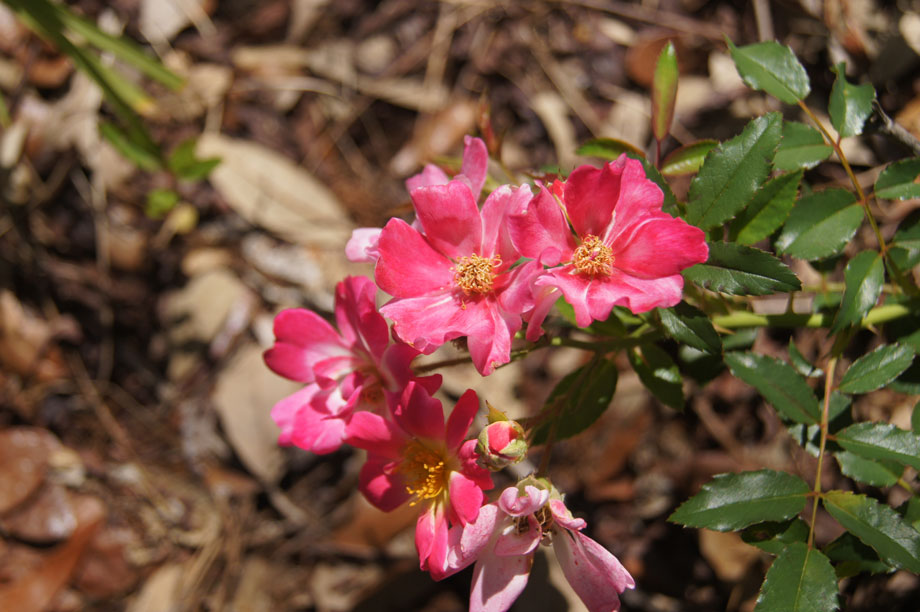
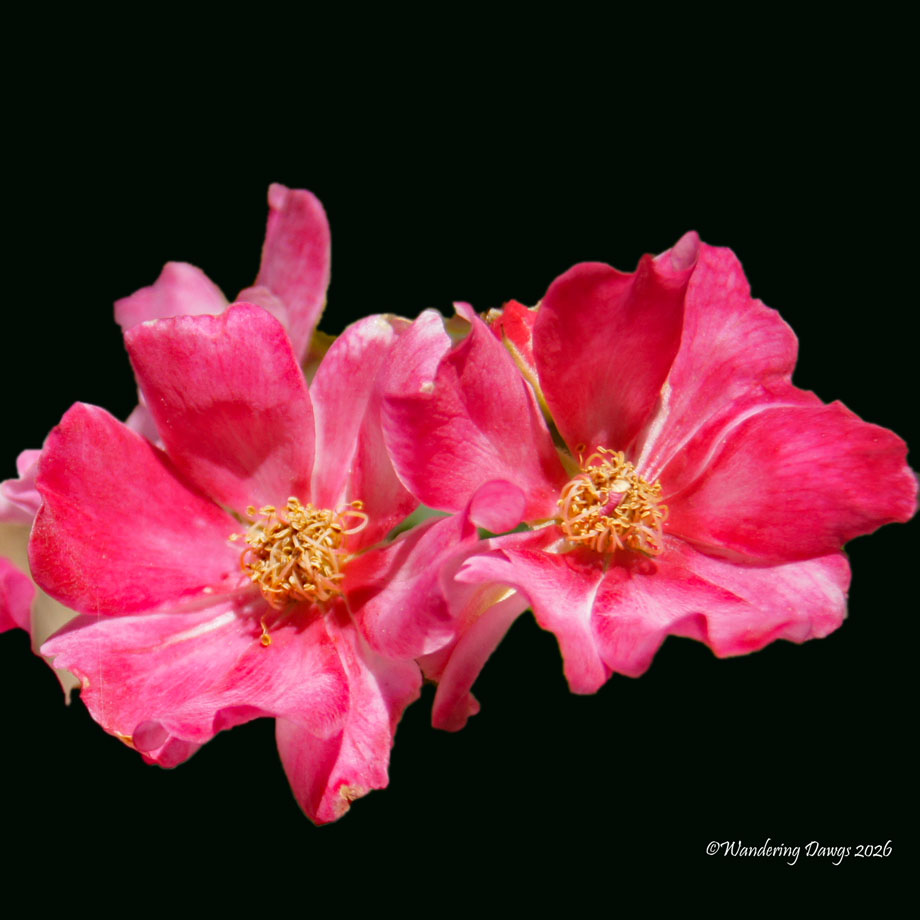
For my first example I took a photo of pink Knockout Roses. I thought the original photo was kind of blah so I cropped the photo to a square with two blooms and replaced the background with black to bring out the vibrant pick blooms.
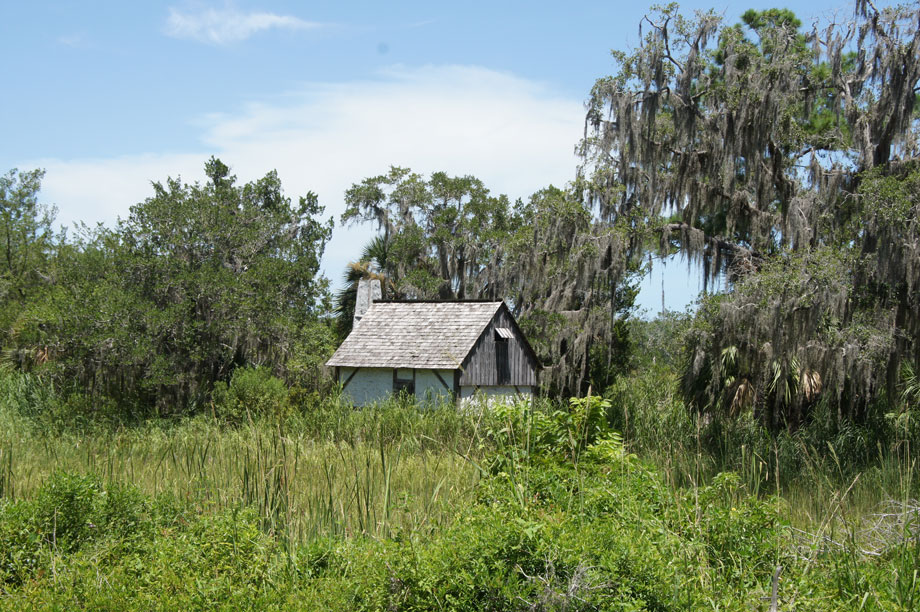
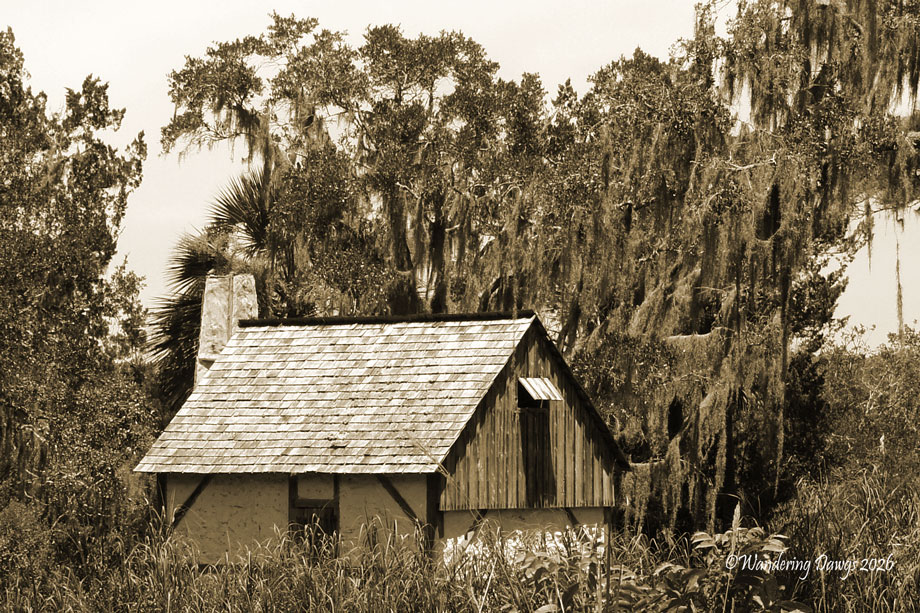
In this next example I wanted to give this old cabin at the Fort King Georgie State Historic Site a more old fashioned look. First I cropped the photo to focus on the cabin surrounded by the ancient oak trees. I then converted the image to sepia tones.
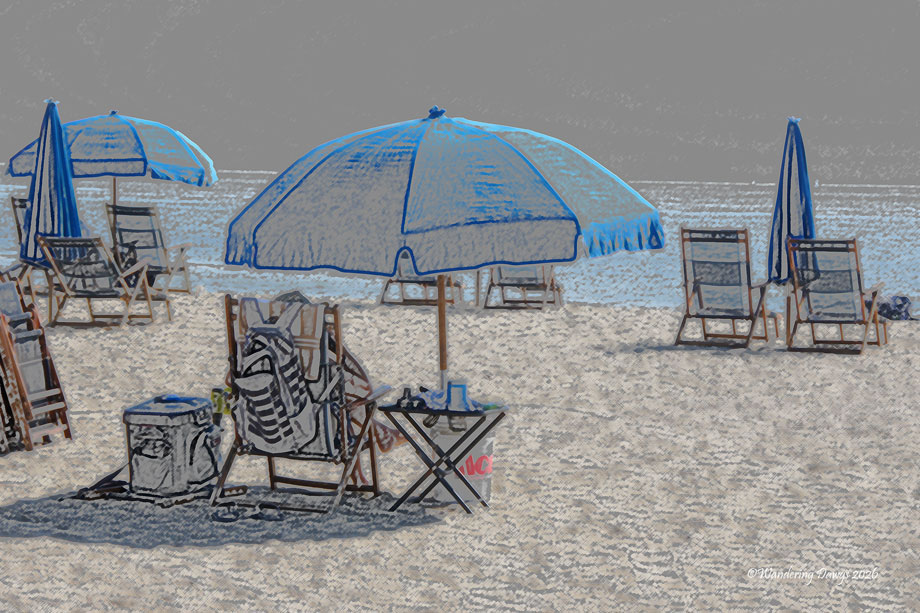
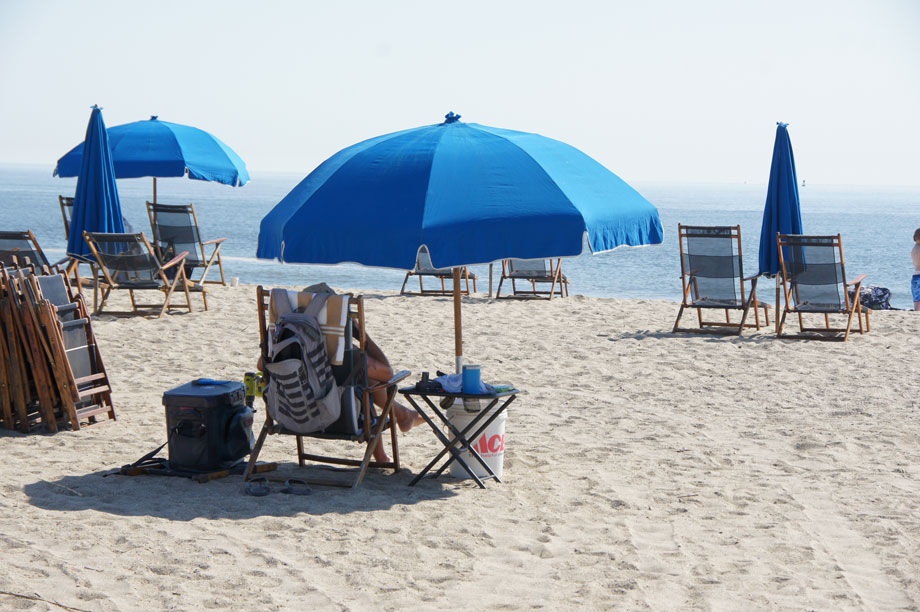
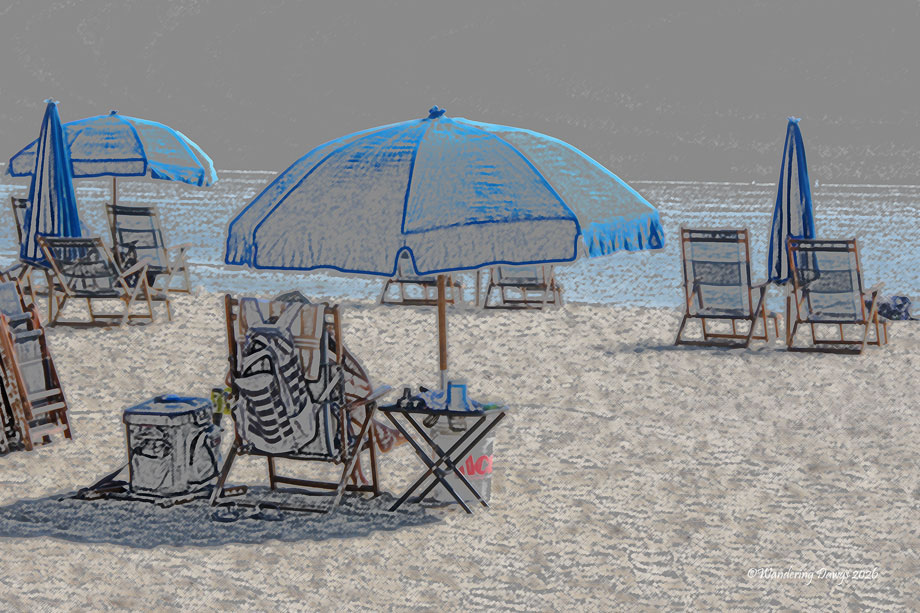
In this final example I thought the original photo of the blue umbrellas and chairs on the beach was ok but I wanted to make it a little more fun. I tried several different effects before I decided I liked the way it looked with a colored pencil effect.
Many thanks to guest host Steve Hyde’s for hosting last week’s challenge. Your responses to his Best Ever Photo challenge were fantastic. Thank you to everyone who joined the challenge.
Thank you to our host Ritva for this week’s fun challenge. If you would like to join the challenge please be sure to tag your post with Lens-Artists and include a link back to her post Lens-Artists #410: One Photo Edited.
Be sure to check back on Saturday, August 29 at noon eastern time when Sofia will be hosting the challenge.
You can keep up with all of our challenges by subscribing to the Lens-Artists team members websites: Tina, Patti, Ann-Christine, John, Sofia, Anne, Egidio, Ritva, Beth.
For information on how to join the Lens-Artists challenge please click here.
Every Day is a Gift


It’s funny but some images really do benefit from a little playing around. I love the beach shot, Beth. The flowers look so much more dynamic too xx
LikeLiked by 1 person
Jo, thank you so much. This was a fun challenge. I’m glad you like my edited images.
LikeLiked by 1 person
Beth, the roses look amazing. And I love their name… “Knockout roses”
LikeLiked by 2 people
Thank you Suzette. The Knockout Roses are easy to grow and don’t need a lot of maintenance. I love their color.
LikeLiked by 1 person
Most excellent!
LikeLiked by 1 person
Your creativity is showing, Beth. 🙂
LikeLiked by 1 person
Thanks Judy! It was fun editing these photos.
LikeLiked by 1 person
You did a great job with these. I especially like how well you changed the background on your Knock out Roses. The masking looks great…very well done!
LikeLiked by 1 person
Thank you so much. I considered converting the roses to black and white before changing the background to black but I like the way it turned out by leaving the roses pink. I’m glad you like it.
LikeLike
Great editing Beth. I especially like what you did with the flowers and cabin.
LikeLiked by 1 person
Thanks Brad! I’m glad you like the way the flowers and the cabin turned out.
LikeLiked by 1 person
Beth, these edits were nicely done. I really liked the idea of the sepia tone and pencil sketch. The black background for the flower was simply wonderful!
LikeLiked by 1 person
Egidio, many thanks! I had fun editing these photos. I’m glad you liked the final edits.
LikeLike
Especially love the sepia tones!
LikeLiked by 2 people
Thanks Pam! I’m glad you like how the sepia tones turned out for the old cabin.
LikeLiked by 1 person
Nice examples! I love the colored pencil effect especially.
LikeLiked by 1 person
Thanks Lindy! The colored pencil one was the most fun to work with. I’m glad you like the way it turned out.
LikeLike
Love the cabin in sepia. I think Sepia should be used more often as a monotone. Adds a bit more interest to the scene.
LikeLike
Vicki, thank you for your comment. I’m glad you like image of the cabin in sepia. Sorry for the delay in replying.
LikeLiked by 1 person
These are terrific Beth. I especially liked the edit on the roses.
LikeLiked by 1 person
Thanks Tina! I was happy with the way the pink roses looked with the black background.
LikeLike
Oh, Beth, you aced this challenge, no doubt about it! All three enhanced images are, I believe, much better and more appealing. My favourite is the old cabin – the sepia is absolutely perfect for it – but I’m most intrigued by the “coloured pencil” edit. How on earth did you do that. It’s very funky and cool and a little edgy. Nicely done! pp
LikeLiked by 1 person
Pam, thank you so much! I’m glad you like the old cabin with the sepia tones. I use an old version of Photoshop Elements for editing. I used the Colored Pencil filter for the beach scene and adjusted the settings to get the look I wanted.
LikeLiked by 1 person
I don’t have Photoshop, so I always enjoy seeing what photography artists are able to do with it. Lovely post!
LikeLiked by 1 person
Wonderful edits!! I really like the old cabin
LikeLike
Wonderful edits Beth! I especially liked the beach edit. I believe we think the same way about editing!
Anne
LikeLiked by 1 person
Thanks Anne! I enjoyed creating the beach scene the most. I keep saying I’m going to upgrade to a new editor but somehow have never gotten around to it.
LikeLiked by 1 person
Editing is so fun! And you showed why by doing some fantastic edits. The flowers really do pop with that black background. Well done!
LikeLiked by 1 person
Thanks Nancy! I really liked the way the pink roses look with the black background. I’m glad you agree!
LikeLiked by 1 person
I love the colored pencil effect. A wonderful shout out to impressionists. What software did you use?
LikeLiked by 1 person
Thanks Arati! the colored pencil effect was really fun to create. I used an older version of Photoshop Elements and applied the colored pencil effect. I made a few adjustments to the settings to get the final result. I’m glad you like the way it turned out.
LikeLike
These are fun and the original images are great, the crops worked for well. Love the beach, nice pencil work Beth 😂
LikeLiked by 1 person
Ritva, thank you so much for this great challenge! I had played around with the colored pencil effects on that beach scene a while back but never had a chance to use it until now. I’m glad you like the way it turned out.
LikeLiked by 1 person
Excellent edits, Beth. Nothing like a good crop 🙂
LikeLiked by 1 person
Thank you Tish! Cropping is my favorite edit.
LikeLiked by 1 person
Replacing the background with black is something I should consider more often. Your edit brings out the beauty of the roses. My favorite, though, is that colored pencil effect. Nice work, Beth!
LikeLiked by 1 person
Thanks John! I’m really glad you like the roses and the beach scene. I really admire your editing skills and enjoy reading how you achieve your final images.
LikeLiked by 1 person
Thank you, Beth!
LikeLiked by 1 person
Three very different edits and all effective in their own way – my favourite is the old cabin, it looks great in sepia!
LikeLiked by 1 person
Sarah, many thanks! I’m glad you like the old cabin’
LikeLiked by 1 person
Nicely done on the edits, Beth! I love how the beach shot worked out.
LikeLiked by 1 person
Thanks Terri! I had fun editing these photos. So glad you like them.
LikeLiked by 1 person
I like the sepia photo!
LikeLiked by 1 person
Marie, many thanks.
LikeLiked by 1 person
I love the pencil effect! Wonderful!
LikeLiked by 1 person
Thank you so much! The beach scene was the most fun to do. I’m glad you like it.
LikeLike
Great pictures, Beth. I particular like the way you edited the last photo, very creative!
LikeLiked by 1 person
Thanks Sylvia. I had a lot of fun editing the beach scene. I’m glad you like it.
LikeLike
I found the last photo and the modifications you made intriguing, Beth.
LikeLiked by 1 person
Thanks Curt. I’m glad you were intrigued by the edits on the beach photo.
LikeLiked by 1 person